Business profile · Events & Ticketing
Snazooka
Live photo wall and guest photo sharing for events
Guests scan a QR code and their photos appear on a big screen during the event. No app needed, and you keep all photos afterwards.
About
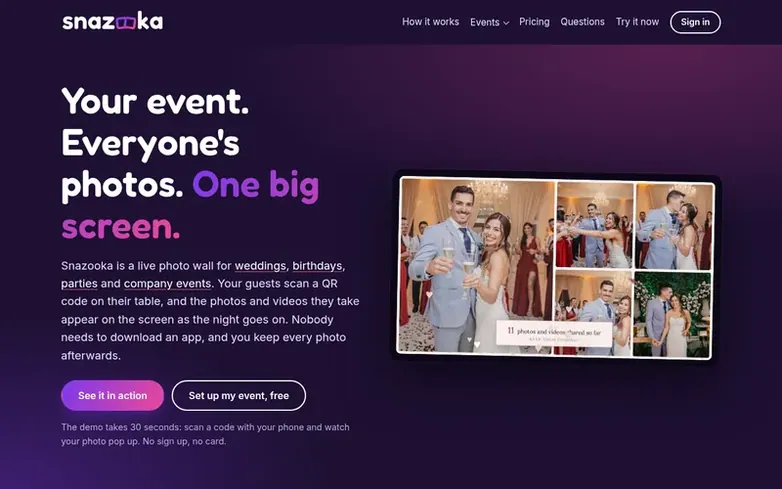
Snazooka is a live photo wall service for events like weddings, birthdays, parties and company events. Guests scan a QR code with their phone to share photos and videos, which appear on a big screen in real time. No app download is required—guests simply open a page in their browser. You can approve photos before display, hide or delete unsuitable content from your phone, and download all photos and videos at full quality after the event. The service works with any screen that has a web browser, including laptops connected to TVs or smart TVs. Guests can view each other's photos during and after the event, and on the paid plan uploads stay open for a week after your event so photos from camera rolls can be added later.
Features at a glance
- QR code scanning for instant photo uploads
- Real-time slideshow display on big screen
- No app required for guests
- Content moderation and approval
- Customizable screen design with fonts, colors and frames
- Videos up to 30 seconds
- Guest messages and photo missions
- Guest album viewable for 30 days
- Works with any screen with web browser
- Download all photos and videos at full quality
Pricing
Pricing model: Paid
Free plan: €0, up to 25 photos, uploads close the morning after. Event plan: €24.99 (launch offer, regular price €29.99), up to 2,000 photos and 100 videos, uploads open until a week after event. Prices include VAT.
Compare and explore
Quick answers
- Do my guests need to download anything?
- No. Guests simply scan the QR code with their phone's camera, which opens a page in their browser. They type their first name and can start sharing straight away.
- What do I need for the big screen?
- Any screen with a web browser will work. A laptop plugged into the venue's TV or projector with an HDMI lead works well, as does a smart TV's own browser. You open your event's screen link, click once for full screen, and leave it running.
- What if the WiFi at the venue is poor?
- Uploads keep trying for up to half an hour and pick up where they left off when the signal comes back. Guests can keep the page open and enjoy the night, and the screen keeps showing the photos it already has if its own connection drops.
- Can I stop unsuitable photos appearing on the screen?
- Yes. You can hide or delete any photo from your phone in a couple of taps, and it disappears from the screen immediately. You can also turn on approval mode for company events or children's parties so nothing is shown until you approve it.
- How long are the photos kept?
- Guests can see the album for 30 days after the event on the Event plan. You can download everything at full size whenever you like, and the event is deleted 90 days after uploads close.
Leave a review for Snazooka
Reviews of Snazooka: none yet. Be the first.
Reviews: free. Paid reviews: not possible. See the review file
Reviews and questions · Latest info · Share this info · Your business? Claim this profile · Report outdated info
Snazooka has a free listing. The owner can unlock the full profile with a paid launch for $5:
- Founder story (locked)
- Milestones (locked)
- Demo video (locked)
- Dofollow website link (locked)
Related profiles
EventShareCloud
A photo-sharing platform that lets event guests upload photos by scanning a QR code on their phones, with no app or account required, storing images at full
- Events & Ticketing
Deco My Tree
Make a Christmas tree friends decorate with wishes
- Events & Ticketing
PicShots
Browser-based disposable camera for event guests, no app required
- Events & Ticketing
Starbound Labs
Custom drone light shows for events and brands
- Events & Ticketing