Business profile · Fitness apps
Lean
Calorie counter that measures body fat from a photo and calculates real TDEE
Mobile app that tracks calories, body fat, metabolism and step count in real time to help users master their calorie deficit and reach body composition goals.
About
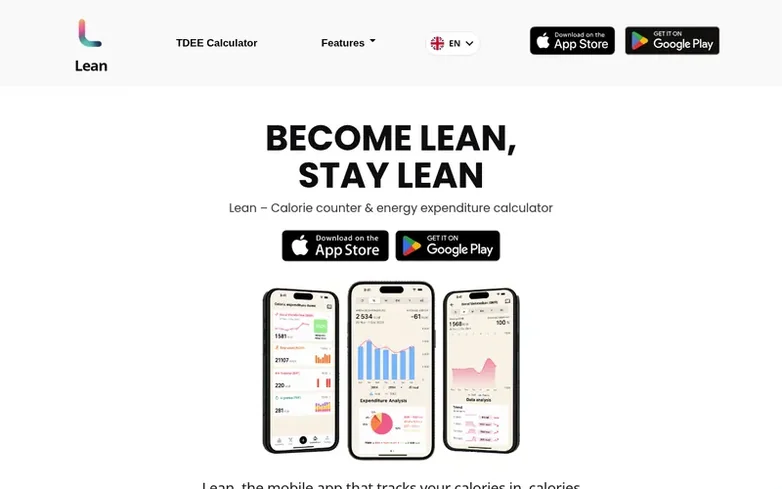
Lean is a mobile application for iOS and Android that calculates total daily energy expenditure (TDEE) by tracking four components: basal metabolic rate (BMR) based on body fat measured from a photo using AI, non-exercise activity thermogenesis (NEAT) from step count, exercise activity thermogenesis (EAT) from workouts, and thermic effect of food (TEF) from dietary macros. The app includes an AI BodyScan feature to calculate body fat percentage from a single photo, AI meal recognition to log calories from photos, and metabolic adaptation tracking during calorie deficits.
Lean computes daily calorie expenditure live and adapts calorie targets throughout the day based on actual expenditure and eating patterns. The app integrates step counting, allows manual workout entry, includes a food database and barcode scanning, and provides a Progression Pyramid to guide users through fat loss.
Features at a glance
- AI photo recognition of meals and portions
- Body fat calculation from single photo using AI
- BMR tracking with metabolic adaptation
- Step count integration for NEAT calculation
- Workout tracking with precise calorie expenditure
- TEF tracking based on macro intake
- Real-time daily expenditure calculation
- Adaptive calorie targets throughout the day
- Food database and barcode scanning
- Progression Pyramid recommendations
Pricing
Pricing model: Freemium
Compare and explore
Quick answers
- How does Lean calculate body fat?
- Lean uses AI BodyScan technology: users take a photo of themselves and the BodyScan calculates the body fat percentage in about 5 seconds, then automatically recalculates the basal metabolic rate.
- What are the four components of TDEE that Lean tracks?
- TDEE consists of BMR (basal metabolic rate at rest), NEAT (energy from walking and non-exercise activity), EAT (energy from workouts), and TEF (energy spent digesting food).
- How can I track meals with Lean?
- Lean offers three ways to track calories: take a photo of your meal and the AI recognizes foods and portions, scan the barcode of packaged foods, or search the built-in food database containing USDA and OpenFoodFacts data.
- How often does Lean recalculate my metabolism?
- Lean constantly recalculates your metabolism from your physiological data to keep daily expenditure tracking as accurate as possible, and recalculates your BMR whenever you update your body fat percentage.
- How can I get support if I have issues with the app?
- You can contact the Lean team directly by submitting a message through their support form at lean-app.com/en/support/ or by emailing support@lean-app.com. The team reads messages directly and responds quickly.
Find Lean online
Leave a review for Lean
Reviews of Lean: none yet. Be the first.
Reviews: free. Paid reviews: not possible. See the review file
Reviews and questions · Latest info · Share this info · Your business? Claim this profile · Report outdated info
Lean has a free listing. The owner can unlock the full profile with a paid launch for $5:
- Founder story (locked)
- Milestones (locked)
- Demo video (locked)
- Dofollow website link (locked)
Related profiles
Body Visualizer
AI-powered 3D body shape visualization tool for fitness goal planning and progress tracking
- United States
- Fitness apps
ToneFit
AI-powered fitness companion
- Fitness apps